



Guide · · 4 min read
Hammer Jam guide: half-price upgrades, and the magic items worth the most
Once a year, Hammer Jam halves the cost and time of every upgrade in your home village. That doubles what your potions are worth and halves what your hammers and books save. Here is what to use first, and how the ClashRecord tracker plans the event with you.

Hammer Jam · Guide
Every upgrade at half price
Hammer Jam is the one event of the year where everything is half price. Every upgrade in your home village, at every Town Hall, costs half the resources and takes half the time. It also comes with a 2x resource fest, so every village you raid holds double the loot. Last year it ran from November 1 to 17. Two things are left out: Supercharges and Crafted Defenses. The Builder Base is not part of it.
Why potions are worth double
A Builder Potion makes every builder work ten times faster for one hour. That takes nine hours off every running upgrade at once, heroes included. During Hammer Jam every timer is already halved, so those nine hours do the work of eighteen normal hours, on every builder. Research Potions and Pet Potions do the same in the Laboratory and the Pet House: 24 times faster for an hour, 23 hours off, which is 46 hours of normal research.
- Builder Potion
- 9 h off every builder · worth 18 h
- Research Potion
- 23 h off the lab · worth 46 h
- Pet Potion
- 23 h off the Pet House · worth 46 h
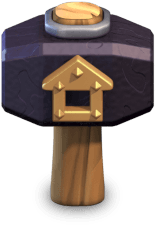
- Hammer of Building
- A free upgrade, now worth half
- Book of Building
- Skips a timer that is already halved
Buildings: Builder Potion, then Hammer, then Book
- First, the Builder Potion. Use it when every builder is busy on a long upgrade. Each one loses nine hours, worth eighteen, and comes free sooner to start the next half-price upgrade.
- Second, the Hammer of Building. It upgrades a building at once and for free: no resources and no wait. In Hammer Jam it saves half as much as usual, but it still frees a builder on the spot and keeps your resources for the next upgrade.
- Third, the Book of Building. It finishes an upgrade you have already paid for, so it only saves time, and in Hammer Jam that time is halved. If you use one, put it on your longest upgrade.
Before the event starts, stock up. Each potion stacks to five in your Town Hall, so fill all three from the Trader, Clan Games and event rewards. After the event, hammers and books are worth their full value again.
Hammer Jam prices in the tracker
A Hammer Jam switch sits next to the Gold Pass in the tracker, the building details, the Suggestor and the upgrade calculator. Tick it when the event starts in your game, and every cost and time on the site is halved. Untick it to compare with normal prices. It stacks with the Gold Pass: a 20% Gold Pass together with Hammer Jam takes 60% off. Supercharge levels and Crafted Defenses keep their full price, as they do in the game.
Walls at half price, in a 2x resource fest
Walls cost half too, and the 2x resource fest makes every village worth raiding. The Wall Calculator has the same Hammer Jam switch: turn it on and it halves your wall bill and plans your raids in the 2x fest. It tells you how many raids and hours your walls take, which loot to search for, and whether you finish before the event ends.
Import your village
The tracker reads your heroes, troops, spells, pets and equipment from Supercell's API. Buildings come from the game's own export: in Clash of Clans, open Settings, tap More Settings, scroll to Data Export and tap Copy. Then press Paste village data in the tracker. In about twenty seconds every building, wall and busy builder is filled in, with a countdown on each running upgrade.
Save the village to your account
Looking up a tag needs no account, but without one an import lives only in that browser. Create a free account (a username and password, no email), load your village and press Save this village. Your levels then follow you to your phone, your main village loads when you sign in, and you can save every account you play. If you imported before signing in, the tracker offers to merge the import and keeps the higher level wherever the two disagree.
Keep your magic items in the tracker
Clash of Clans does not share your inventory, so the tracker keeps it for you on a saved village. Open Magic items under Currently upgrading and enter what your Town Hall holds. When you use a potion in the game, press Apply Builder Potion, Apply Research Potion or Apply Pet Potion beside the running upgrades. The tracker moves every timer by what the potion saved and takes one off your count, so your countdowns stay right without a new import.
Let the tracker pick the order
The Suggestor lines up what each builder should start next, and the upgrade calculator shows how long everything left will take, both at Hammer Jam prices. With half-length timers your builders free up twice as often, so set your wake and bed times under Plan around your sleep. The Suggestor then picks upgrades that finish while you are awake, and no builder sits idle overnight.
Every site theme, in three shapes. The download is the preview.